













Skip to content

School Management System: A Complete Guide for Indian Schools

A school management system is software that runs your school's daily work from one place. Attendance, fees, homework, timetables, exams, transport, parent messages. Owners, principals, teachers, students, parents and bus drivers each get their own login.

The payoff is plain. Less typing, fewer mistakes, and parents who know what's going on without phoning the school office.

This guide covers what to look for, what it costs, how a rollout works and what to ask before you sign anything. It's written for school owners, principals, trustees, preschool directors and college administrators.

Start For Free Demo
School management system guide for Indian schools

COMPANIES WE WORK WITH

  • company logo
  • company logo
  • company logo
  • company logo
  • company logo
  • company logo
  • company logo
  • company logo
  • company logo
  • company logo
  • company logo
  • company logo
  • company logo
  • company logo
  • company logo

School management system vs school ERP vs SIS vs LMS

These names get tossed around as if they mean the same thing. Sometimes they do. Here's how they usually split.

Term Who usually uses it What it means
School management system Principals, owners, school admins Software for daily school work: attendance, fees, exams, communication.
ERP for schools Owners, trustees, finance heads, school groups Same idea, with more weight on money, staff, inventory and running several campuses. Most buyers use both names for one product.
SIS (student information system) Office and records staff The part that holds each student's record: profile, attendance, marks and fees.
LMS (learning management system) Teachers and students Online classes, study material and assignments. Often sold as a separate product.

Honestly, the label matters less than one question. Do all the modules share one database?

If attendance, fees and exams live in separate tools, your staff end up typing the same data again and again. If they share one record, you enter it once and everything updates.

Core modules: what each should do, and how to test it

For each module below you'll see what it should do, how School Layout handles it, and a "Test this in a demo" tip. Use those tips with any vendor. Us included.

Admissions

A good admissions module follows every enquiry from the first phone call to a confirmed seat. It should hold application forms, documents and follow-up reminders, then link straight to the student record.

Test this in a demo:

Add one enquiry and convert it to an admission. Check that the student record gets created without anyone retyping a thing.

Attendance

Teachers should mark attendance on their phones. The school and parents should see it within moments.

In School Layout: every plan has an AI Attendance Management System and biometric integration. From the Best plan, the Teacher App gives one-tap attendance with an instant report, and students see their daily presence history in the Student App.

Test this in a demo:

Mark one student absent. Watch how fast the report updates and how fast the parent gets notified.

Fees

Fee heads, instalments, concessions, receipts and pending dues all belong in one place. Not in a register, not in three spreadsheets.

In School Layout: every plan has fees management. The Best plan adds an online payment gateway. The Admin App (Quality plan and above) covers fee collection, expenses and financial reports.

Test this in a demo:

Set up a fee with two instalments and a sibling concession. Record one payment, then check the receipt and the pending balance.

Exams and report cards

Marks entry, grading and report cards should follow your board's format. And they should build themselves from marks already in the system.

In School Layout: every plan has an Examination Management System with an AI Report Card, and report cards are supported for all boards.

Test this in a demo:

Ask to see your own school's report card format filled with real marks. Not a sample template.

Timetable

A timetable tool should help you plan periods without clashes. That's the whole job.

In School Layout: every plan has timetable management. From the Best plan, teachers manage and view their timetable in the Teacher App.

Test this in a demo:

Try giving one teacher two classes in the same period. See if the system warns you.

HR and payroll

Staff records, leave and salary should talk to each other. When a teacher takes leave, payroll needs to know.

In School Layout: Staff Payroll comes with the Best plan and above.

Test this in a demo:

Apply leave for one staff member and check how it changes the salary calculation.

Transport

A good transport module covers routes, live bus location, and pick-up and drop-off records.

In School Layout: the Best plan adds AI Transport Management and GPS transport integration. The Driver App (Quality plan and above) shares live GPS location with the school and parents, records timestamped boarding and alighting, and sends daily trip reports.

Test this in a demo:

Ask for a live trip. Check what the parent sees, and whether boarding and alighting are timestamped.

Parent communication

Notices, homework, exam alerts, fee reminders and direct messages should reach parents without teachers doing extra work.

In School Layout: every plan has an alert system, news and events, SMS integration and WhatsApp API integration. Homework tools and online PTM feedback come with the Best plan and above. SMS charges are extra on Best, Quality and Enovation. SMS rate per message .20 rupees (20 paise), and whether SMS is extra on Newly

Test this in a demo:

Send a notice to one class. Check who received it and when.

Other modules

Every School Layout plan also includes inventory management, printing of documents and certificates, AI-generated student ID cards, access management, and a holidays and school planner.

How the four School Layout apps work together

School Layout runs through four apps, each built for one kind of user. The Teacher and Student apps come with the Best plan. The Admin and Driver apps come with the Quality plan. On Enovation, all four are personal (custom) apps built for your school. The Newly plan doesn't include the apps.

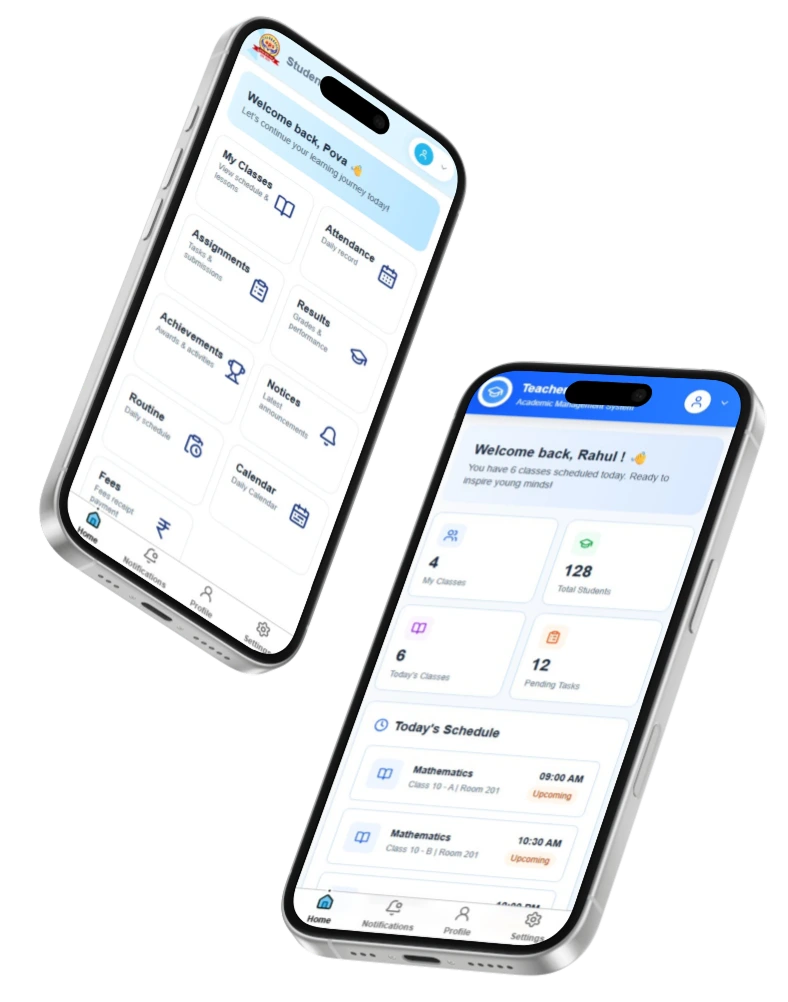
Teacher and Student mobile app screens

Teacher App iconTeacher App:

a dashboard with attendance, homework and class performance. One-tap attendance, homework and notes with submission tracking, the timetable, and direct messages to parents.

Student App iconStudent App:

one place for assignments, exams and notices. Attendance report, study material downloads, real-time alerts for exams, fees and announcements, and live bus location.

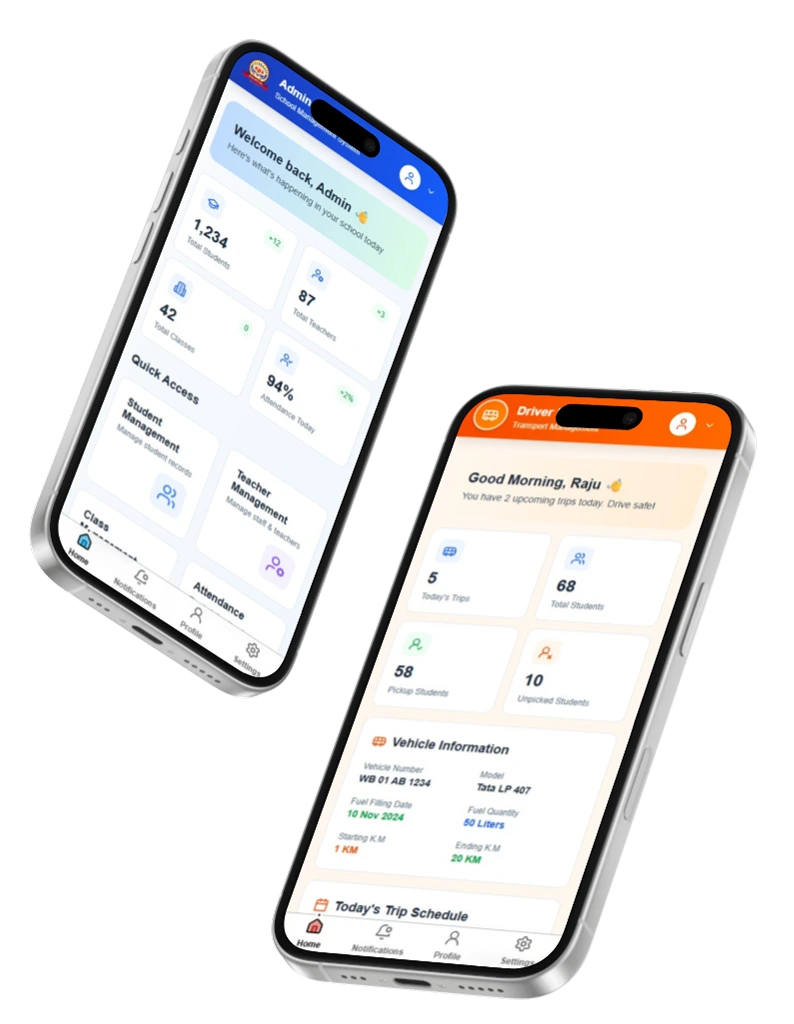
Admin and Driver mobile app screens

Admin App iconAdmin App:

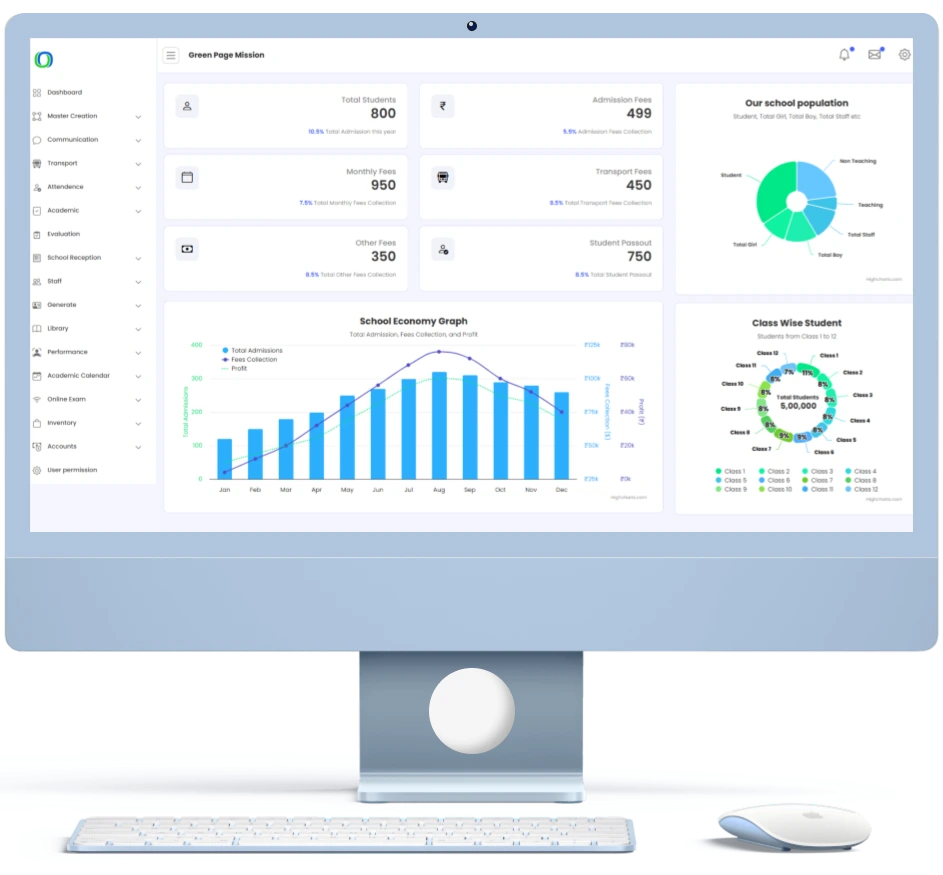
a school-wide dashboard with the key numbers. Role-based users for staff, students and parents. Fees, expenses and financial reports. School setup (classes, sections, custom settings), operations reports, and a line to your drivers.

Driver App iconDriver App:

route management and pick-up and drop-off planning. Live GPS sharing with parents and the school, boarding and alighting records, instant alerts, and daily trip reports.

Here's the point of all this. Everyone works from the same data. When a driver marks a student on the bus, the school and the parent both see it.

AI tools in School Layout

School Layout has several AI-powered tools. They look at student performance and school reports. Which ones you get depends on your plan.

All plans:

AI Attendance Management System, AI Report Card, and AI-generated student ID cards.

Best and above:

AI Transport Management.

Quality and above:

AI Library Management, online AI exams, AI subject-wise self-assessment tests, and AI 360° analysis of students and teachers.

In any demo, ask what each AI tool automates and what a teacher or principal still has to check and approve. AI should save your staff time. It shouldn't replace their judgement.

Boards and compliance: what schools should watch

Three things are worth checking before you pick any system.

Board formats.

CBSE, ICSE, State boards and IB each have their own report card and grading style. Ask to see yours, not a generic one.

UDISE+ and APAAR ID.

UDISE+ is the government's yearly school data collection system. APAAR ID is a lifelong academic ID for students. Your records need to be clean and complete enough to support both without a big clean-up every year.

Data protection (DPDP Act, 2023).

Schools hold children's personal data, so this one lands on you directly. The DPDP Rules were notified in November 2025 and are being phased in. The main duties for handling children's data, including verifiable parental consent, are due to start in May 2027, with narrow carve-outs for some school activities. So ask where the data is stored, who can see it, whether changes are logged, and how parental consent is handled.

In School Layout: report cards are supported for all boards. U-DISE reports come with the Best plan and above. APAAR ID and data-protection (DPDP) requirements are handled through our standard SOP.

Pricing: what a school management system costs

School Layout has four yearly plans, picked by the number of student records you need. Prices below exclude 18% GST, with the GST-inclusive price alongside. For the latest offers, see the pricing page. Pricing Plans

Plan Best for Student records Per year (excl. GST) Per year (incl. 18% GST) Key features (each plan adds to the one before)
Newly Small schools starting digital management Up to 200 ₹6,499 ₹7,668.82 Academic management, timetable, AI attendance, exams with AI report card, fees, inventory, biometric integration, SMS and WhatsApp API integration, daily backup, online support
Best (most popular) Growing schools Up to 1,200 ₹12,349 ₹14,571.82 Adds U-DISE reports, homework and assignments, staff payroll, online payment gateway, AI transport management with GPS, CRM, online PTM feedback, Teacher App, Student App, free WhatsApp API
Quality Established and multi-branch schools Up to 3,000 ₹24,499 ₹28,908.82 Adds multi-branch support, e-learning, online AI exams, AI library, AI 360° analysis for students and teachers, Admin App, Driver App, free static website, dedicated account manager and priority support
Enovation Large schools and groups Custom Custom quote Custom quote Adds unlimited branches, personal (custom) apps and a free dynamic website

What does that come to per child? At full capacity, roughly ₹32 a student on Newly, ₹10 on Best and ₹8 on Quality, all before GST.

But "full capacity" is the best case. A school with 150 students on Newly pays about ₹43 each. A school with 800 students on Best pays about ₹15 each before GST, or ₹18 with it. Divide by your real headcount, not the plan limit.

Which plan fits your school?

  • Up to 200 students and no apps needed:Newly.
  • Up to 1,200 students, with Teacher and Student apps and bus tracking:Best.
  • Up to 3,000 students, or more than one branch, with Admin and Driver apps:Quality.
  • Large groups or fully custom needs:Enovation.

Optional add-ons

All prices below exclude 18% GST.

  • Static website: ₹6,555 one-time (free on Quality)
  • Dynamic website: ₹8,555 one-time (free on Enovation)
  • SMS marketing: ₹3,999 per month (5,000 SMS)
  • WhatsApp platform fee: ₹999 per month (message charges follow Meta guidelines)
  • Digital marketing: ₹9,999 per month

What to check: included or extra?

  • SMS charges are extra on the Best, Quality and Enovation plans.
  • GST at 18% goes on top of the yearly price. Add-ons exclude GST too, so 18% goes on those as well.
  • Biometric machines and GPS devices are paid for by the school. Each device costs ₹7,000 plus 18% GST, which makes ₹8,260.
  • Setup, data migration and training are free.
  • Payment gateway charges depend on the gateway provider and RBI rules. [ADD: your gateway's current rate]
  • If your school goes past its student-record limit, only an extra cloud charge applies. [ADD: charge per extra student or per slab]
  • WhatsApp API integration is free on Best and above. The WhatsApp add-on (₹999 a month plus 18% GST) is the platform fee, and message charges follow Meta guidelines. [ADD: confirm what Newly pays for WhatsApp]

A simple 3-year cost worksheet

Two quotes that look alike in year one can end up far apart by year three. So compare the total over three years:

  • Year 1 = setup + yearly fee + extras (messages, hardware, customisation)
  • Year 2 = yearly fee + extras
  • Year 3 = yearly fee + extras
  • Total = Year 1 + Year 2 + Year 3

Fill this in for every vendor on your shortlist, using their written quote. With School Layout the setup line is zero, since setup, migration and training are free.

Here's what the yearly fee alone adds up to over three years, assuming the price doesn't change:

Plan Per year (incl. GST) 3 years (incl. GST)
Newly₹7,668.82₹23,006.46
Best₹14,571.82₹43,715.46
Quality₹28,908.82₹86,726.46

Example: a school with 800 students on the Best plan pays ₹12,349 plus 18% GST, which is ₹14,571.82 a year. Three years of fees come to ₹43,715.46. Now add the real extras. Say the school buys four devices (one biometric machine and three bus GPS units) at ₹8,260 each. That's ₹33,040 once, and it takes the three-year total to ₹76,755.46. SMS charges and any add-ons come on top. [ADD: your SMS volume and rate, to complete the example]

The hardware count here is only an illustration. Use your own. And always get the renewal price in writing. [ADD: your renewal price policy, e.g. fixed for 3 years or revised yearly]

What Our Clients Say

Trusted by Schools &
Institutions Nationwide

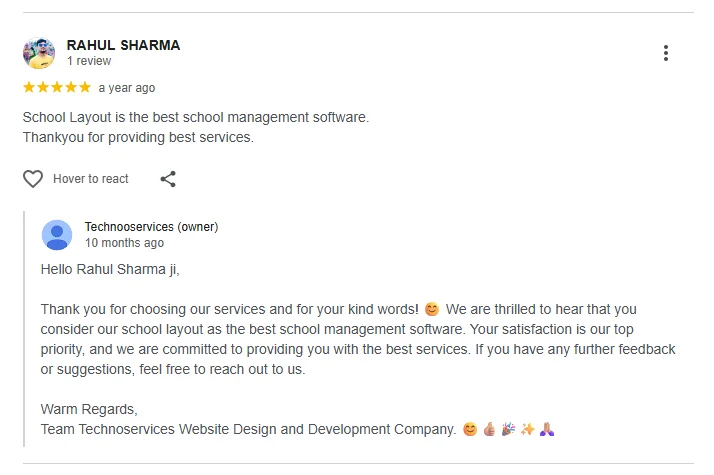
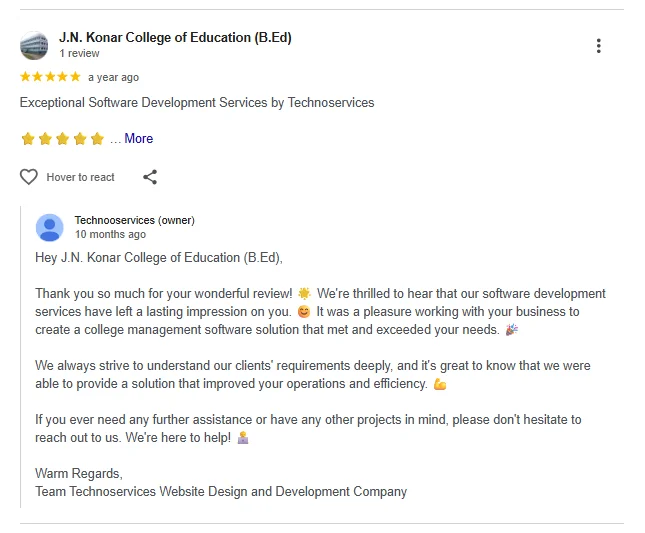
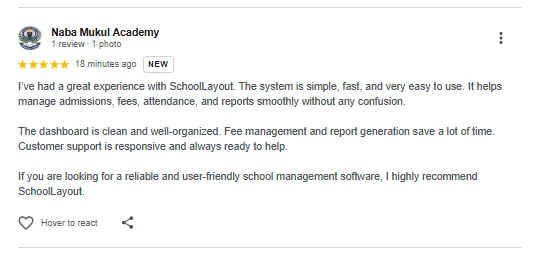
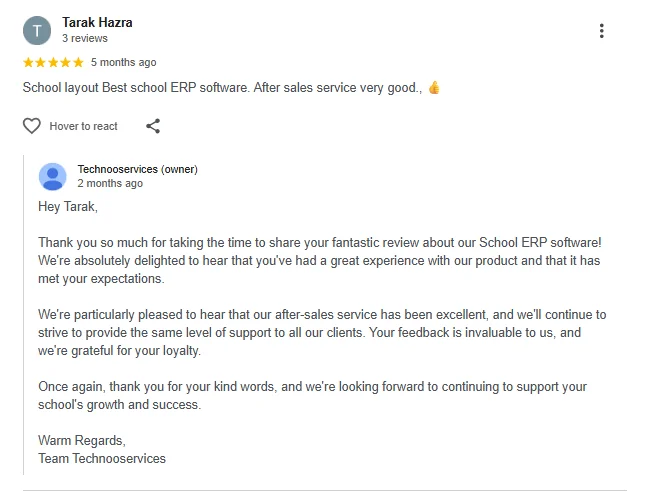
Hear from educators, administrators, and parents who’ve transformed their school operations with SCHOOLLAYOUT Smart ERP.

reviewsix
reviewsix
reviewnine
reviewsix
reviewten
revieweleven
reviewone
reviewtwo
reviewthree
reviewthree
reviewseven
reviewseven
review13

Frequently Asked
Questions

Our platform is built to help you work smarter, not harder. It adapts to your needs
and supports your goals. Make the most of every feature.

School ERP is a comprehensive cloud-based management system designed to streamline administrative and academic operations. Create text automations and flows based on custom prebuild audiences. Capture abandon carts. You cannot spend 2 months setting up your system. It integrates student management, attendance, fee collection, examination, and communication tools in one unified platform.

Absolutely! We implement bank-level encryption, secure cloud storage with AWS, regular automated backups, and multi-factor authentication. All data is encrypted both in transit and at rest. We comply with GDPR and other international data protection standards, ensuring your sensitive information remains completely secure.

Implementation typically takes 2-4 weeks depending on your school size and customization requirements. Our process includes consultation, configuration, data migration, comprehensive staff training, and full technical support throughout the transition period.

Let's build an awesome project together!